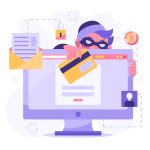
Ransomware threats are growing, targeting accounts and sensitive data with alarming precision.
Securing your accounts might seem complex, but small actions go a long way. By staying vigilant, you can reduce risks and safeguard your information effectively.
So, here are seven common mistakes that you should ensure you avoid.
Choosing Predictable Security Questions
Many people treat security questions as an afterthought. They pick easy answers, often based on public or semi-public information like their pet’s name or high school. Hackers can often quickly find this data by browsing social media profiles or conducting simple searches.
Think about it: if someone knows your favorite color from a Facebook post, how secure is that? Predictable answers turn security questions into vulnerabilities rather than safeguards.
Instead, choose obscure responses unrelated to your actual life details.
Alternatively, treat these fields like passwords—use random combinations of characters instead of real words.
Strengthening this layer complicates a hacker’s task significantly and ensures better protection for your accounts.
Using Weak or Easily Guessable Passwords
Weak passwords are like leaving the front door unlocked. Short phrases, common words, or patterns like “123456” make it easy for hackers to break in using brute force tools. The easier a password is for you to remember, the easier it is for someone else to guess.
Instead of sticking with simple combinations, create long and unique passwords. Use a mix of letters, numbers, and symbols to maximize complexity.
It’s a good idea to use a secure password generator. It will craft random and strong passwords instantly.
A strong password forms your first defense against ransomware attacks. So, make sure yours isn’t the weakest link in your security setup.
Ignoring Two-Factor Authentication Options
Relying on just a password leaves your account vulnerable. Hackers only need to crack one barrier to gain access, which isn’t hard if the password is weak or compromised.
Many services now offer two-factor authentication (2FA), but users often skip enabling it.
2FA adds an extra layer of security by requiring a second verification step—like entering a code sent to your phone or using an authenticator app.
Even if someone steals your password, they can’t bypass that second step easily.
Activate 2FA wherever possible, especially on email and financial accounts.
Taking this small extra measure significantly lowers the chances of ransomware compromising your accounts.
Neglecting Regular Software Updates
Postponing software updates might feel harmless, but it opens doors for ransomware attacks. Hackers exploit outdated systems with known vulnerabilities. When you skip an update, you’re leaving those weaknesses exposed.
Think of updates as patchwork for cracks in your home’s foundation. Developers release them to fix security gaps or bugs that attackers target. Ignoring these patches gives ransomware the opportunity to infiltrate your system.
Enable automatic updates wherever possible, especially for operating systems and essential applications.
Regularly updating ensures you stay ahead of evolving threats and strengthens your defenses without extra effort.
Staying updated doesn’t just improve performance—it keeps hackers from exploiting preventable flaws in your cybersecurity.
Using Shared Accounts
Shared accounts might seem convenient, but they create significant security risks. When multiple people access an account, it’s harder to track who logs in and from where. This lack of accountability makes detecting unusual activity more challenging.
Additionally, shared accounts often involve weak or reused passwords to ensure everyone remembers them easily. Unfortunately, this convenience also makes the account a prime target for ransomware attacks.
Instead, provide individual access wherever possible. Use role-based permissions so each person has the exact level of access they need—nothing more.
If sharing is unavoidable, secure the account with strong authentication measures like 2FA.
Minimizing shared credentials reduces confusion and significantly improves overall security against ransomware threats.
Overlooking the Importance of Backups
Many people don’t think about backups until it’s too late. Ransomware locks your files, demanding payment for their release. Without a backup, you’re left with little choice but to pay or lose access entirely.
Backups act like a safety net. If ransomware strikes, having an up-to-date copy of your data ensures you can restore everything without giving in to demands. Yet, too often, users forget to create them or rely on outdated versions.
Use both cloud storage and external drives for redundancy.
Schedule automatic backups regularly so you don’t have to remember to manually update them.
Relying on Public Wi-Fi Without Proper Protection
Public Wi-Fi networks are convenient, but they’re also a playground for hackers. When you connect to an unsecured network at a café or airport, anyone nearby can intercept your data. This makes it easy for attackers to steal login credentials or deliver ransomware.
Think of public Wi-Fi as a shared water fountain—anyone could tamper with the source before you drink from it. If you must use these networks, take precautions.
Use a Virtual Private Network (VPN) to encrypt your connection and protect sensitive information. And avoid accessing financial accounts or logging into critical systems when connected publicly.
A little caution ensures convenience doesn’t come at the cost of your account security!