
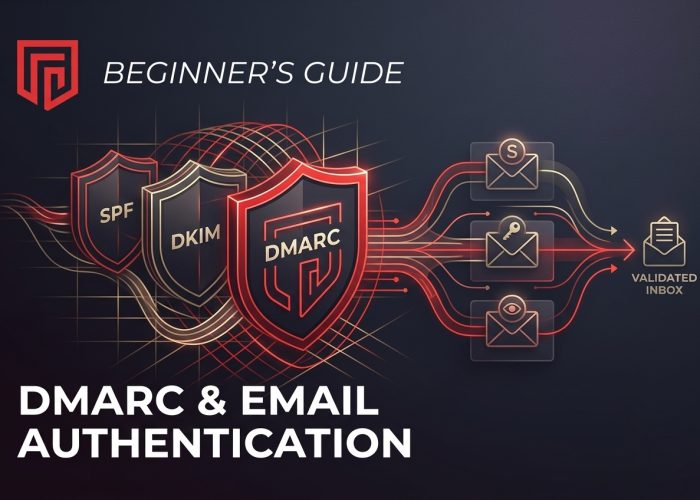
A decade ago, most people never thought about how their emails reached the inbox. You wrote a message, hit send, and hoped it didn’t land in spam. Today, things are more complicated. Phishing, spoofing, and business email compromise are everywhere. That’s where DMARC and email authentication come in.
If you’re a beginner, the jargon can be intimidating. SPF. DKIM. DMARC. It looks like alphabet soup. But once you break it down, the ideas are simple. They’re just ways for email providers to check, “Is this message really from who it claims to be?”
Let’s start with the basic problem.
Why email authentication matters
Email is deceptively simple to fake. With the right tools, an attacker can send a message that appears to come from your domain. It might look like it’s from [email protected] or [email protected]. To a busy employee or customer, it feels real.
The damage can be huge. Stolen passwords. Fake invoices. Malware. And even if your systems stay safe, your reputation will suffer. People start to distrust your brand.
Email authentication is an answer to these problems. It gives receiving mail servers a way to verify that messages from your domain are genuine. If the checks fail, they can treat those emails with suspicion.
There are three main pieces: SPF, DKIM, and DMARC.
SPF: Who’s allowed to send
SPF stands for Sender Policy Framework. Think of it as a list of approved senders for your domain.
You publish that list in your DNS records. It says, in effect, “Only these servers are allowed to send email as @yourcompany.com.”
When a mail server receives a message from your domain, it looks up your SPF record. SPF passes only if the sending server is on the list. If not, SPF fails.
SPF is useful, but it has limits. It doesn’t look at the visible “From” address that users see. It focuses on the technical envelope sender instead. That’s one reason we also need DKIM and DMARC.
DKIM: Has this email been tampered with?
DKIM stands for DomainKeys Identified Mail. It’s about integrity and authenticity.
With DKIM, your mail system adds a digital signature to each outgoing message. That signature is tied to your domain and to the contents of the email.
You publish a public key in your DNS. Receiving servers use that key to verify the signature. If the message changes in transit or if it doesn’t really come from a system that knows your private key, the check fails.
You can consider DKIM to be a sealed envelope with a wax stamp. If the stamp is broken or fake, you know something’s wrong.
DMARC: The policy layer that ties it together
DMARC sits on top of SPF and DKIM. It’s the policy that tells receiving servers what to do when those checks pass or fail.
The full name is Domain-based Message Authentication, Reporting, and Conformance. Long name, simple purpose: give domain owners control and visibility.
A DMARC record lives in your DNS. In that record, you set the following:
- Alignment rules: Should the visible “From” address match the domain used in SPF and DKIM?
- Policy: What should receivers do with messages that fail authentication and alignment?
- Reporting: Where should receivers send reports about messages using your domain?
The policy is the heart of DMARC. You choose one of three options:
- p=none – Monitor only. Don’t block anything yet.
- p=quarantine – Treat failing messages as suspicious; they often go to spam. Often they go to spam.
- p=reject – Block failing messages from being delivered.
A common journey is to start with p=none, review reports, fix issues, then gradually move to quarantine and finally reject.
How DMARC helps in real life
In practical terms, DMARC does a few important things:
- Protects your brand
It’s harder for attackers to spoof your domain. Their fake messages are more likely to be rejected or sent to spam.
- Improves deliverability
When your authentication is solid, legitimate messages from your domain are more likely to land in the inbox instead of the junk folder.
- Gives you visibility
DMARC reports show which servers are sending email using your domain. You can spot misconfigured tools, forgotten services, or outright abuse.
For many organizations, setting up DMARC is part of a broader move toward better email security services and hygiene. You start by getting your sending systems under control, then you add layers of protection and monitoring over time.
Getting started with DMARC: a simple roadmap
If you’re new to this process, it helps to follow a clear order:
- Map your senders
List all the places that send email as your domain. Your main mail server. Marketing platforms. CRM tools. Support systems. Even that old app that still sends alerts.
- Set up SPF correctly
Create or update your SPF record to include all legitimate sending services. Avoid making it too long or complex, as there are DNS lookup limits.
- Enable DKIM signing
Turn on DKIM for each sender that supports it. Publish the necessary public keys in your DNS. Test that signatures are being added and verified.
- Add a DMARC record with p=none
Start with a monitoring policy. Include an address for aggregate reports (the rua tag). This lets you see what’s happening without risking lost mail.
- Review the reports
Look for:
- Legitimate services failing SPF or DKIM alignment
- Unknown sources sending as your domain
Fix configuration issues and clean up old or rogue senders.
- Increase enforcement gradually
Once things look clean, move to p=quarantine. Watch the impact. If everything stays stable, consider p=reject for full protection.
Common mistakes to avoid
A few pitfalls show up again and again:
- Skipping the discovery phase
If you don’t know all your senders, you might break email from a tool your finance team relies on.
- Not monitoring reports
DMARC is not a “set and forget” feature. The reports are where you see what’s really going on.
- Going straight to ‘reject’
It’s tempting to lock everything down at once. That can backfire if your configuration isn’t complete.
- Ignoring subdomains
Attackers may target subdomains, not just the main one. DMARC lets you define policies for them as well.
Final thoughts
DMARC and email authentication can seem technical at first, but they’re based on simple ideas: prove who you are, protect your name, and make it harder for attackers to abuse your domain.
If you follow the steps, SPF, DKIM, and then DMARC with careful monitoring, you’ll build a strong foundation. Your customers see fewer fake messages pretending to be you. Your real emails are more likely to reach the inbox. And you gain far more insight into how others use your domain across the internet.
For most modern organizations, that’s no longer a “nice to have.” It’s basic hygiene for doing business over email.