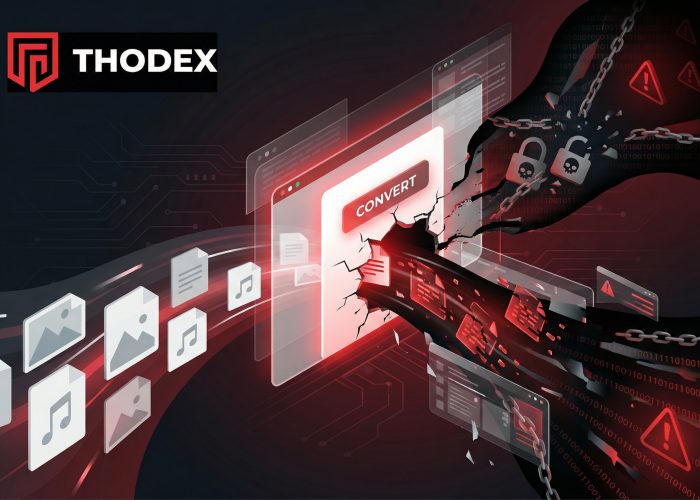
We have all been there. You need to turn a Word document into a PDF for work, or maybe you want to download a song from YouTube to listen to offline. You don't want to pay for expensive software just for one file, so you head to Google and search for a "free online converter."
Within seconds, you find a website that looks professional. It promises to convert your file instantly, for free, with no account required. It sounds perfect—but it might be a trap.
The FBI and cybersecurity experts have issued warnings about a surge in fake online file converter scams. These websites masquerade as helpful tools, but their real goal is to slip malware onto your computer, steal your passwords, or hijack your browser.
At Thodex.com, we want you to get your work done safely. Here is how these scams work, how to spot them, and what to do if you have already clicked download.

How the Scam Works: The "Bait and Switch"
Scammers know that millions of people search for file converters every day. To trap you, they use a technique called "SEO poisoning." This means they buy ads or manipulate search engine results so their malicious websites appear at the very top of Google or Bing—often above legitimate, safe tools.
Here is the typical trap:
- The Bait: You click on a top search result for "free PDF to Word" or "YouTube to MP3." The site looks clean, modern, and trustworthy. It might even look exactly like a famous tool you have used before.
- The Switch: You upload your file or paste a video link. The site pretends to process the data.
- The Payload: When you hit "Download," you don't get the file you asked for. Instead, the site downloads a malicious program (malware) disguised as your file, or it tricks you into allowing browser notifications that flood your screen with dangerous ads.
Common Variations of Converter Scams
Not all fake converters work the same way. Scammers adapt their tactics to catch you off guard.
The "Clone" PDF Tool
Scammers create websites that look nearly identical to popular services like Adobe Acrobat or PDF Candy. They might change the web address slightly (typosquatting), such as pdf-convertor.net instead of the real .com site. If you aren't looking closely at the URL bar, you won't notice the difference until it is too late.
YouTube-to-MP3 Malvertising
This is one of the most dangerous categories. These sites are often riddled with "malvertising" (malicious advertising). When you click "Convert," invisible windows may open in the background, or you might be redirected to a page claiming your "Flash Player is out of date" and you must update it to watch the video. This "update" is actually a virus.
Browser Extension Hijackers
Some sites claim that to convert your file faster, you need to install their "Free Converter Tool" browser extension. If you agree, you are installing a browser hijacker.
These malicious extensions can change your default search engine, track every website you visit, and inject ads into your search results. Learn more about browser hijackers like OneLaunch to understand how difficult they can be to remove.
Password-Protected ZIP Files
Sometimes, the site will give you a ZIP file that is password protected (they will display the password, like "1234," on the screen). Why do they do this? Because password-protecting the folder prevents your antivirus software from scanning the files inside during the download. Once you unzip it and open the file, the malware attacks.
🚩 7 Red Flags of a Fake Converter
How do you tell the difference between a helpful tool and a scam? If you see any of these signs, close the tab immediately.
- Wrong File Extension: This is the biggest warning sign. If you are converting a file to a PDF, the file you download should end in
.pdf. If the file ends in.exe,.js,.vbs, or.iso, do not open it. It is a program meant to install a virus. - "Update Required" Pop-ups: Legitimate converters work in the browser. They will never ask you to update Chrome, your graphics drivers, or Flash Player just to convert a text document.
- Notification Spam: If the site forces you to click "Allow" on a notification request to verify you are human, leave. This gives them permission to spam your desktop with ads.
- The Clipboard Trick: Some advanced scams ask you to copy a code and paste it into a computer terminal (PowerShell) to "fix" the download. Never do this.
- Typosquatting: Check the address bar. Does it say
gooogle-convert.cominstead ofgoogle.com? - Aggressive Ads: If there are five different "Download" buttons on the screen and you don't know which one is real, the site is likely dangerous.
- No Privacy Policy: Real companies have a link at the bottom of the page explaining how they handle your data. Scam sites usually don't.
The Consequences: What Happens if You Click?
Convenience isn't worth a data breach. If you run the malicious file, the consequences can be severe:
1. Data Theft (Info-Stealers)
Malware like "RedLine Stealer" can scan your web browsers for saved passwords, credit card numbers, and cookies. Attackers can use this data to log into your bank or email without needing your password.
2. Ransomware
Some fake converters deploy ransomware, which encrypts (locks) all the files on your computer. The scammers will then demand a fee to unlock your photos and documents.
3. Crypto Theft
If you invest in digital currency, these viruses specifically look for wallet files. Review our guide on cryptocurrency wallet security to ensure your assets are protected against these specific trojans.
Immediate Recovery: The "Golden Hour"
If you suspect you have downloaded a malicious file or fallen for a fake online file converter scam, acting quickly can save your data.
Step 1: Disconnect Immediately
Unplug your internet cable or turn off your Wi-Fi. This stops the malware from sending your stolen data back to the hacker and prevents it from downloading more viruses.
Step 2: Quarantine the File
Do not open the suspicious file. If you haven't opened it yet, delete it and empty your Trash/Recycle Bin. If you did open it, do not trust your computer for sensitive tasks (like banking) until it is cleaned.
Step 3: Scan for Malware
Run a deep scan using reputable antivirus software. If you aren't sure how to do this or what tools to use, follow our comprehensive malware removal guide.
Step 4: Secure Your Accounts
Using a different, clean device (like your phone), change the passwords for your email, bank, and social media accounts. Log out of all active sessions in your security settings to kick the hackers off.
Financial Recovery & Reporting
If the scam resulted in financial loss, you have options, but you must act fast.
- Credit/Debit Cards: Contact your bank immediately. Tell them the charge was fraudulent or related to a scam service. Request a new card number, as the old one is likely compromised.
- Cryptocurrency: Unfortunately, crypto transactions are rarely reversible. Be extremely wary of anyone claiming they can get it back (see the warning below).
- Report the Site: You can report the malicious website to the FBI's Internet Crime Complaint Center (IC3) or to Google Safe Browsing to help warn other users.
⚠️ WARNING: Beware of "Recovery Scams"
After a scam, you are vulnerable to a secondary attack. You might encounter "experts" on social media or in forums claiming they can recover your lost files, hacked accounts, or stolen crypto for a fee.
These are "Recovery Scams."
The hackers claim to have special software or inside contacts at the FBI. This is a lie. No one can reverse a blockchain transaction or hack back a scammer for you. If someone asks for an upfront fee to get your money back, they are scamming you a second time. Read more about scams you should combat or avoid to recognize these predatory tactics.
Frequently Asked Questions (FAQ)
Q: How can I safely convert files online?
A: Stick to well-known, reputable brands. Companies like Adobe, CloudConvert, or Zamzar have established reputations. Always check the URL carefully. If possible, use offline software (like Microsoft Word's "Save as PDF" feature) rather than uploading sensitive documents to the web.
Q: Why is my browser spamming me with ads after using a converter?
A: You likely clicked "Allow" on a notification request. To fix this, go to your browser's Settings > Privacy and Security > Site Settings > Notifications. Find the suspicious website in the list and remove its permission to send notifications.
Q: Can a PDF file contain a virus?
A: While it is technically possible for a PDF to contain malicious scripts, it is rare for modern PDF readers to execute them automatically. The much more common trick is a file named document.pdf.exe. Windows often hides the .exe part, so it looks like a PDF, but it is actually a program. Always enable "Show file extensions" in your folder settings to see the truth.
Q: What if I uploaded a sensitive document containing my Social Security Number?
A: If you uploaded a tax form or contract to a scam site, assume that data is compromised. You should place a fraud alert on your credit report with the major credit bureaus (Equifax, Experian, TransUnion) to prevent identity theft.
Summary
The promise of a "free, instant" conversion is tempting, but fake online file converter scams rely on that desire for speed. Always pause before you click. Check the URL, look for the red flags, and never open an .exe file when you were expecting a document.
If you spot a suspicious converter site, warn others by reporting it. Stay vigilant, and keep your devices secure.