
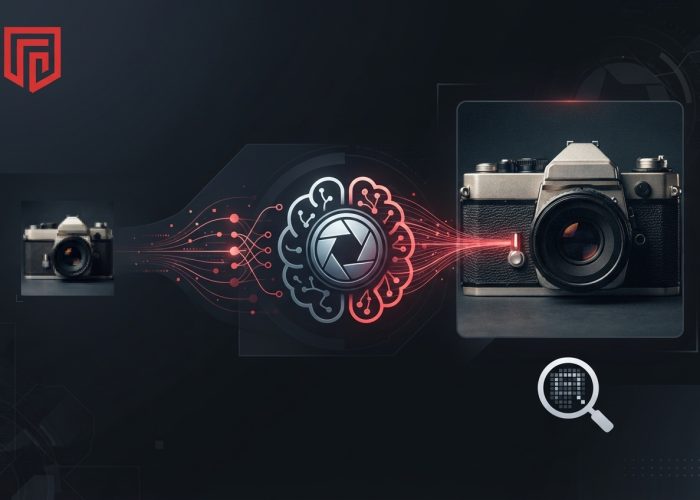
Pictures do a great deal of the talking these days, in adverts, classrooms, films, news feeds and photo studios alike. A good one grabs attention and gets a point across in seconds. The trouble is that the picture someone needs isn’t always available at the size they need it. A treasured snap from an old phone or a squashed file from a group chat can turn soft and smudgy once it’s blown up. Image upscaling exists to fix exactly that, making a picture bigger while keeping it looking sharp.
Understanding Image Upscaling
Upscaling simply means making a digital picture larger and more detailed. Every photo is built from pixels, tiny squares that each hold a scrap of colour. Older enlarging methods just spread those squares over a bigger space, a bit like stretching a jumper two sizes too far. The result tends to look fuzzy, blocky and soft around the edges.
Newer methods are far cleverer. Rather than pulling the old pixels thinner, they work out what extra detail ought to sit between them and fill the gaps sensibly. The aim is a bigger picture where faces still look like faces, fabrics keep their weave and edges stay crisp.
How Artificial Intelligence Improves Image Resolution
Artificial intelligence has given picture enhancement a real boost. Smart systems study the patterns, textures and shapes in a photo. Drawing on what they’ve learned from millions of examples, they make an educated guess about how the missing detail would look at a larger size.
A portrait shows how this works. The software spots eyes, strands of hair and the texture of skin, and treats each one differently. In a country scene, it picks out trees, clouds and rooftops instead. That sense of what it’s looking at lets it produce far more believable detail than older averaging methods ever could. A wedding guest’s blurry phone photo can suddenly look fit for the album.
There is a catch, though. The extra detail is a well-informed guess, not a rescue of what was really there. How good the result looks depends on the starting picture, the model doing the work and how far the image is pushed.
Common Uses of Image Upscaling
Plenty of trades lean on upscaling for everyday jobs.
Photography: A photographer might need a bigger copy of an older shot for a print, a portfolio, a gallery wall or an online slideshow. Upscaling can give a low-resolution favourite a second life. Nobody likes turning down a print order because the file is too small.
E-commerce: Shops selling online live or die by their product pictures. A larger, clearer photo lets customers zoom in on the stitching on a handbag, as long as the result stays honest about what’s actually being sold. A jumper that looks plush online and arrives thin soon earns a refund request.
Graphic Design: Designers often reuse the same picture in many places. A sharper, bigger file gives them far more room when building banners, flyers, slides and other pieces.
Digital Archives: Old family photos and historic records were often captured on basic cameras or early scanners. Upscaling helps them look at home on today’s large screens. A faded 1960s school photo can finally be shared at a reunion without everyone squinting.
Social Media: Content creators constantly reshape pictures for different apps. Enhancement helps older or smaller graphics meet the bigger size each platform now expects. A bakery’s old banner can stretch to fit a new header without being rebuilt.
Important Factors to Consider Before Upscaling
Clever as the tools have become, the starting picture still matters most. A photo that’s badly blurred, torn or crushed by heavy compression rarely comes out well, however good the software is. Nobody can turn a thumbnail into a billboard by magic.
How far to enlarge is the next question. A modest increase usually looks far more natural than a huge jump. Pushed too hard, a picture starts showing strange textures, odd-looking faces or harsh, over-sharpened edges. A sixfold enlargement can leave a cousin with eyes that look faintly painted on.
The file type plays its part too. JPEG squeezes files down and throws some detail away in the process, while PNG tends to suit graphics that need clean edges or a see-through background. Picking the right format at the end keeps the hard-won quality intact.
Before starting, it helps to think about where the picture is going, how big it needs to be and how much detail the job really calls for.
Exploring Accessible Image Enhancement Tools
Sharpening up a picture no longer means buying expensive editing software or learning a long list of technical terms. Plenty of online options now make the job straightforward for anyone with a photo to improve. A café owner can tidy up a menu picture during a quiet afternoon.
For example, someone looking to upscale image files can explore AI-assisted processing to increase resolution and improve the presentation of smaller photographs. Tools like these come in handy when getting pictures ready for websites, slide decks and other online uses.
Even so, it’s wise to put the new version side by side with the original. A close look at faces, lettering, product details and fine textures quickly shows whether anything odd has crept in. An extra letter in a shop sign is easy to miss at first glance.
Maintaining Image Quality After Enhancement
Upscaling is only one step in getting a picture ready. Looking after it afterwards matters just as much. Saving the same file again and again in a heavily compressed format slowly wears the quality down, even when the first result looked excellent. It’s rather like photocopying a photocopy.
Holding on to the original file, never edited, is a simple habit worth forming. It allows different approaches to be compared and gives a safe place to start over if a step goes wrong. Many a designer has been grateful for that spare copy at midnight.
Consistency counts on bigger projects. Pictures that sit together on a website, in a catalogue or across a presentation look best when their sharpness, colours and overall feel roughly match. One crisp photo next to three soft ones stands out for the wrong reasons.
The Future of Image Upscaling
The technology keeps moving forward as artificial intelligence and camera software improve. Tomorrow’s systems may rebuild textures more faithfully, keep faces truer to life and cope better with busy, complicated scenes.
Those gains could put high-quality pictures within easy reach of photographers, designers, businesses and ordinary families. Care will still be needed, though, especially in news reporting, historical records and product photos, where getting the picture right really matters. A sharpened photo is only useful if it’s still a truthful one.
Conclusion
Upscaling has become a genuinely useful part of handling pictures today. By blending older enlarging methods with AI-powered processing, it helps low-resolution photos earn their keep in all sorts of settings. Knowing what it does well and where it comes unstuck helps people make sensible choices, keep details believable and get each picture ready for the screen or the printer. The software can make a picture bigger. Only a careful eye can tell whether it’s still the right one.