
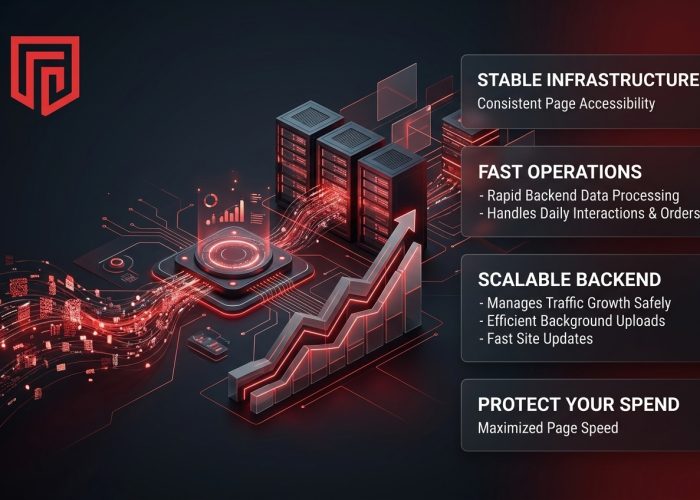
Every online project needs a stable infrastructure to keep pages accessible and responsive. The underlying technical setup ensures that your website handles daily interactions, customer orders, and routine updates without constant delays. When the backend processes data too slowly, visitors often leave the site before finding what they need.
Choosing a modern hosting web server is about protecting your regular marketing spend and managing traffic growth safely. Reliable hardware keeps the website running fast during daily operations, allowing your team to complete background uploads and site updates efficiently.
Faster Storage for Everyday Site Work
Older hosting setups often rely on mechanical drives or slower SSD storage. These drives quickly slow down when your site has to run product searches, account logins, and database updates at the same time.
Modern web servers use NVMe storage to run these background tasks. Every time a visitor opens a catalog, applies a filter, or signs into an account, the server reads and writes data instantly. Slower storage holds up this work even when your site code is perfectly clean.
NVMe removes this hidden delay. Visitors notice it when images open faster, search results appear sooner, and forms respond without a long pause. Your team sees the same benefit in the admin area, where uploads and updates take less time. Fast hardware simply removes one common performance limit.
Security Features That Are Ready Early
A site may start handling customer details, form entries, and account logins from the first day. Leaving protection until later creates unnecessary risk. One infected file or stolen password can already lead to downtime, cleanup, or lost access.
Some of that protection can be built into the hosting itself:
- Malware checks. Imunify360 scans site files and databases for suspicious code and can block common threats.
- SSL certificates. Encryption protects the information moving between your site and its visitors.
- Backups. Manual copies are available through cPanel, while automated add-ons can keep scheduled versions secured off-server.
Passwords, updates, and account access still need attention. But when the main protection tools are already available, a technical mistake is easier to contain and recover from.
Recovery speed matters too. If an update breaks the site or a file is changed by mistake, having a recent copy close at hand can shorten the interruption. Your team can restore the affected part instead of rebuilding pages, settings, or database records from scratch.
Handling Traffic Surges Gracefully
A newsletter, product launch, or paid campaign can change the load on your site within minutes. More people start opening pages, loading media, and sending forms at once. A modern web server is built to spread that extra work across the available resources, so the site does not immediately slow down when demand rises.
A stable hosting setup manages those requests by using memory and processing power where they are needed most. Pages can keep opening at their usual speed even while the server is handling much more work than normal.That helps protect the money already spent on the campaign. More visitors can reach the page, complete a form, or finish a purchase instead of leaving because the site has slowed down.
Simpler Management for Growing Teams
A growing site usually brings more accounts, renewals, and settings with it. Domains sit in one place, email in another, and software updates may depend on a different login again. Small tasks take longer because someone first has to work out where each part is managed.
Modern hosting platforms bring more of that work together:Centralized records. New projects are easier to connect without switching between separate accounts.
Visible timelines. Resource renewals, account limits, and platform settings stay easier to track.Team access. Staff can handle routine updates without sharing one main login. The same becomes true for an independent editorial platform, where editors, writers, and technical staff may need different levels of access to the site.
As the team grows, access becomes another thing to manage. The person handling invoices does not need server settings, and the content editor should not be able to change configuration records. Keeping those roles separate helps prevent accidental changes and makes handovers easier when someone leaves.
How Spaceship Simplifies Web Hosting
Spaceship brings your core web services together in one place. When your setup is connected from the start, your team does not have to jump between different platforms or manually configure how services talk to each other.
A few practical tools make the daily workflow smoother:
- Unbox. This setup assistant links your domain name directly to your web hosting folder during registration, removing manual configuration steps.
- Launchpad. A single dashboard that keeps your active services, billing details, and account settings visible in one account.
- Transparent plans. Resource limits and renewal terms are clearly stated upfront, making your annual costs easier to predict.
The main benefit shows up after launch. Running everything from one account removes the daily friction of checking settings and tracking separate bills.
Built for the Work Ahead
A modern web server does more than store your website files. It supports faster page delivery, secure transactions, and steadier performance during campaigns. It also reduces the amount of routine hosting work that falls back on your team.
For a small business, the value shows up in fewer interruptions. A campaign does not have to stop because the site slows down, and routine updates do not keep turning into technical support tasks. The hosting stays in the background, where it belongs.
Spaceship offers a practical way to keep that infrastructure simple. Having fast storage and connected services in one account means you spend less time fixing settings and more time growing the business.