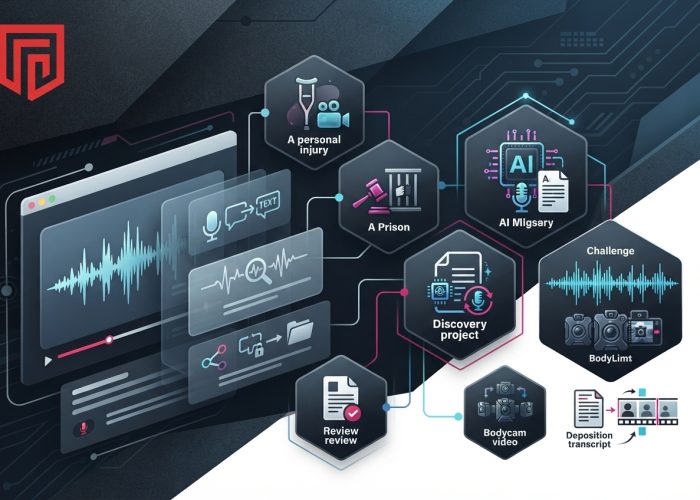
ProPlaintiff brings video and audio review into personal injury case preparation, while JusticeText and Reduct focus on criminal defense workflows. RelativityOne and Everlaw support media review within larger discovery projects, and Rev offers AI and human transcription for speech-heavy recordings.
For legal teams, the challenge is rarely just turning speech into text. It is finding a relevant statement, locating the corresponding moment in a recording, and connecting that evidence to the case. A recorded interview may contain an admission buried in a long conversation. Multiple bodycam videos may show different perspectives on the same event. A deposition may need to be broken into testimony clips for later use.
These six tools approach those tasks differently. The comparison below explains where each one fits.
| Tool | Best for | Key capabilities | Workflow focus |
| ProPlaintiff | Personal injury teams reviewing recorded evidence | Timestamped transcripts, speaker identification, key-moment summaries, video analysis | Connecting media evidence to case preparation |
| JusticeText | Criminal defense attorneys and public defenders | Searchable transcripts, AI-assisted timelines, clipping, redaction, video synchronization | Reviewing audiovisual discovery |
| Reduct | Defense teams working across multiple recordings | Transcript search, synchronized multicamera review, text-based clip creation | Comparing recordings and extracting relevant footage |
| RelativityOne | Teams managing large discovery projects | Searchable audio and video transcripts synchronized with playback | Reviewing media alongside other discovery materials |
| Everlaw | Discovery and deposition review | Audio and video transcription, synchronized deposition transcripts, testimony clips | Connecting recorded testimony with document review |
| Rev | Teams handling interviews, calls, and witness recordings | AI transcription, human transcription, transcript questions and summaries | Converting recorded speech into usable text |
1. ProPlaintiff
Best for: Personal injury teams connecting recorded evidence to case preparation.
A personal injury file can include recorded calls, deposition footage, surveillance video, and bodycam recordings. Reviewing those materials separately makes it harder to connect a statement or visual detail with the rest of the case.
ProPlaintiff combines transcription and media analysis for this work. Its features include timestamped transcripts, speaker identification, and summaries of key moments. Attorneys can search recorded statements and return to the corresponding point in the original file.
Its video analysis also addresses visual evidence. Accident footage may contain details about road conditions, signage, or vehicle damage that a transcript alone cannot capture. Identifying relevant moments helps the team focus its review and organize findings for case preparation.
For personal injury practices, the main advantage is bringing spoken statements and visual evidence into a connected review process.
2. JusticeText
Best for: Criminal defense attorneys and public defenders reviewing audiovisual discovery.
JusticeText is built around the recordings that criminal defense teams regularly receive: bodycam footage, police interviews, jail calls, and other discovery files.
The platform produces searchable, timestamped transcripts and supports transcription in more than 100 languages. Instead of replaying an entire recording to locate a statement, an attorney can search the transcript and move to the relevant passage.
Its AI features help users identify key moments, develop timelines, and examine inconsistencies. Clipping, redaction, and video synchronization support the next stage of review, when the team needs to isolate and organize evidence.
JusticeText is particularly relevant when audiovisual discovery represents a substantial part of the case. Its criminal defense focus gives it a clear place in a comparison that also includes broader discovery platforms and general transcription services.
3. Reduct
Best for: Defense teams comparing multiple recordings and creating evidence clips.
Reduct connects transcript-based navigation with video review. Users can search spoken content, locate the corresponding footage, and select transcript text to create clips.
That workflow is useful when the same event appears across several recordings. Reduct’s synchronized multicamera review lets teams examine different perspectives together, helping them follow an incident across cameras instead of repeatedly switching between separate files.
The platform supports transcription in more than 90 languages. Searchable transcripts help teams locate relevant statements, while text-based editing makes it easier to extract the surrounding footage for further review.
Reduct’s legal offering serves criminal defense attorneys and public defenders; it excludes prosecution and district attorney offices. For eligible teams, its strongest fit is hands-on work with recordings: searching, comparing, and turning relevant passages into usable clips.
4. RelativityOne
Best for: Legal teams reviewing audio and video within a larger discovery project.
Recorded evidence often needs to be understood alongside emails, messages, documents, and other case materials. RelativityOne supports that broader discovery workflow.
Its audio and video transcription features convert recorded speech into searchable text synchronized with playback. Reviewers can locate a passage in the transcript and examine the corresponding part of the recording.
This is useful when a statement needs to be considered in context. An interview may refer to a document, describe a meeting, or mention a sequence of communications that also appears elsewhere in discovery. Keeping media review within the discovery environment supports that connected investigation.
RelativityOne fits teams whose primary challenge is coordinating review across a substantial evidence collection. Its media transcription capabilities form part of that wider process.
5. Everlaw
Best for: Teams combining discovery review with recorded deposition testimony.
Everlaw offers audio and video transcription alongside its document review capabilities. Searchable transcripts and synchronized playback help reviewers move between a spoken statement and the original recording.
Its deposition features also support synchronized video and transcripts. Teams can select testimony and create clips, making it easier to organize relevant excerpts for case preparation.
Everlaw’s automated media transcription supports English and Spanish. It is designed for conversational speech, which makes interviews, calls, and similar recordings a more natural fit than audio dominated by music or background noise.
For teams already managing discovery in Everlaw, these capabilities help keep recorded testimony connected to the wider evidence collection. The platform is especially relevant when deposition review and document review need to happen together.
6. Rev
Best for: Legal teams that primarily need transcripts of recorded speech.
Rev offers both AI and human transcription services, giving teams different ways to turn interviews, calls, and witness recordings into text.
Its AI assistant adds a further layer of transcript review. Users can ask questions about recorded content and generate summaries, helping them locate topics or statements within lengthy conversations.
Rev’s focus makes it useful when the immediate task is producing and working with a transcript. A team reviewing a series of witness interviews, for example, may need searchable text before it can compare accounts or organize follow-up questions.
The distinction is that transcription captures spoken content. Visual actions, scene conditions, and other details outside the conversation still require video review. Rev fits workflows where speech is the main source of information.
How to Choose an AI Tool for Recorded Evidence
The right choice depends on the evidence your team receives and what it needs to produce from that evidence.
Match the tool to the case workflow
Personal injury teams may need to connect recordings with broader case preparation, making ProPlaintiff relevant. Criminal defense teams handling audiovisual discovery have more specialized options in JusticeText and Reduct.
When recordings sit within a larger discovery collection, RelativityOne and Everlaw bring media review into that environment. For a transcription-centered task, Rev offers a more focused approach.
Separate spoken content from visual evidence
A searchable transcript can reveal what someone said and when they said it. It cannot, by itself, explain everything visible in a recording.
That distinction matters with surveillance footage, accident videos, and bodycam recordings. Choose capabilities that match the material: transcription for spoken statements, synchronized playback for checking context, and video review features for examining actions and scene details.
Consider the output your team needs
Finding a statement is one task; preparing it for use is another.
A team organizing interview notes may primarily need transcripts and summaries. A team working with several cameras may need synchronized review. Attorneys preparing deposition excerpts may need clip creation tied to the transcript.
Starting with the required output helps narrow the list more effectively than comparing general AI feature counts.
Keep findings connected to the original recording
Timestamps and synchronized playback make an AI-generated summary or transcript easier to check. Before relying on a passage in case preparation, review the corresponding recording for wording, speaker identity, and surrounding context.
Frequently Asked Questions
What are the best AI tools for reviewing bodycam footage?
JusticeText and Reduct are relevant options for criminal defense teams reviewing bodycam discovery. ProPlaintiff supports bodycam review within personal injury casework. RelativityOne and Everlaw fit situations where recordings need to be reviewed alongside a larger discovery collection.
What is the difference between transcription and video analysis?
Transcription converts spoken words into text. Video analysis examines visual content, such as actions, objects, or scene conditions. Timestamped transcripts help users navigate a recording, but spoken content represents only part of what a video may show.
Which tools help legal teams create clips from recordings?
JusticeText includes clipping capabilities. Reduct lets users create clips by selecting transcript text and supports synchronized multicamera review. Everlaw supports clip creation from synchronized deposition video and transcripts.
Which tools support multilingual transcription?
JusticeText supports transcription in more than 100 languages, while Reduct supports more than 90. Everlaw’s automated media transcription supports English and Spanish.
Why are timestamped transcripts useful for legal review?
They connect a written statement to a specific point in the recording. Attorneys can locate relevant language, replay it in context, and return to the same passage during later review without searching the entire file again.