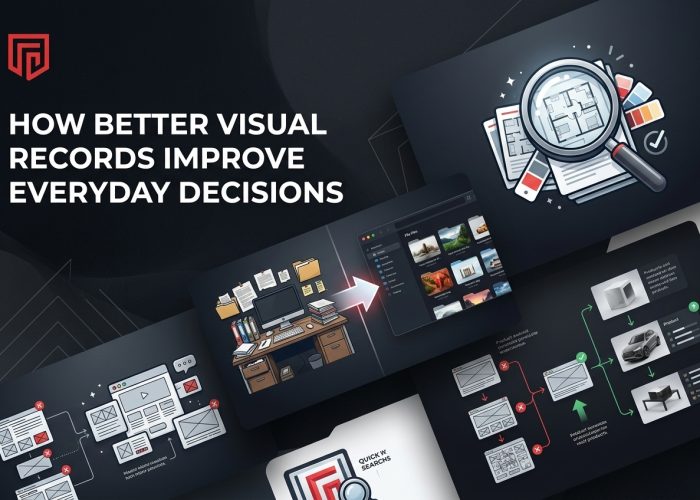
Good visual records save you from a lot of avoidable headaches. If you’ve ever tried to find an old floor plan, compare two store displays, or share a poster design that looked fine in person but terrible in a phone photo, you already know the problem. Clear image documentation makes everyday work easier. It helps you stay organized, explain things faster, and avoid those painful “wait, where did that file go?” moments that can eat up your whole afternoon.
Why Visual Records Matter
When you keep strong visual records, you make future decisions easier for yourself and everyone around you. A clear image can show details that get lost in notes, memory, or quick snapshots. That matters when you’re reviewing signage, checking an old layout, saving artwork, or documenting materials that are simply too big for a standard scan.
For businesses handling posters, plans, displays, or large documents, large format image capture can be a practical solution for preserving those details in a usable way. Instead of crossing your fingers and hoping a phone picture is “good enough,” you get a record that’s easier to review, store, and share.
Think of it like this: a good visual file is a time machine without the sci-fi drama. You can go back, check what was there, and make smarter choices without guessing. That kind of clarity helps with planning, approvals, updates, and even simple peace of mind.
Common Items Worth Saving
You might be surprised by how many items are worth documenting properly. Oversized materials often carry important details, but they’re also the easiest to ignore until you need them later. By then, of course, they’ve mysteriously vanished into the land of missing folders.
Some of the most useful items to save include:
- Blueprints and building plans
- Maps and site layouts
- Posters and printed marketing pieces
- Store displays and merchandising boards
- Artwork and presentation boards
- Historical records and archived materials
- Signs, banners, and event graphics
These items matter because they often support repeat work. You may need to update them, compare versions, prove what was approved, or share them with someone new. A clean visual record cuts down on confusion and back-and-forth messages.
It also helps if your team changes. New people can understand what came before without needing a long explanation. That’s not just convenient. It’s a quiet little productivity win.
Where Mistakes Usually Happen
Most visual record problems don’t start with bad intentions. They start with someone being busy. A quick photo gets snapped under weird lighting. A corner gets cut off. The file gets named something thrilling like Final2-UseThis-One.jpg. Then, weeks later, nobody knows what they’re looking at.
The most common mistakes are pretty simple:
- Blurry images that hide small details
- Cropped edges that remove important context
- Poor lighting that changes colors or text clarity
- Inconsistent file names
- Files saved in random folders
- No clear process for updates
These small issues can snowball fast. One unclear image can lead to a wrong reprint, a delayed approval, or someone using the wrong version entirely. That’s where frustration sneaks in.
You don’t need a perfect system from day one, but you do need a reliable one. The goal is to make your records useful later, not just available somewhere on a device you may never check again.
What Good Images Help You Do
Good image records do more than sit in storage. They help you work better. When a file is sharp, complete, and easy to find, it becomes a tool instead of digital clutter.
For example, you can share visuals with teammates without needing to explain every tiny detail. You can compare old and new versions side by side. You can review a design before reordering it. If you manage locations, displays, or archived materials, clear records also help you spot changes quickly.
They’re especially helpful for:
- Approvals and reviews
- Training new team members
- Keeping project history organized
- Reducing repeat photography or scanning
- Supporting better communication across teams
A strong visual file can also save money in sneaky ways. Fewer mistakes mean fewer reprints, fewer delays, and fewer “who approved this?” conversations. That last one alone deserves a trophy.
In short, better images support better choices. They remove guesswork, and guesswork is usually where chaos likes to rent an apartment.
How To Build A Simple System
You don’t need an elaborate setup to improve your process. You just need a few habits that make sense and stick. Start by deciding what types of materials should always be documented. If it’s important enough to reuse, review, or archive, it should probably be included.
Then create a simple structure:
- Use clear file names with dates or project names
- Save files in one shared location
- Keep versions consistent
- Add short notes when needed
- Review older files on a schedule
It also helps to assign responsibility. If everyone assumes someone else is saving the final file, you’ll end up with a digital ghost town. Pick one person or one small team to own the process.
You should also think about retrieval, not just storage. Ask yourself: can someone find this file six months from now without sending three messages and opening twelve folders? If the answer is no, your system needs a tune-up.
Simple beats fancy every time when people actually use it.
When To Upgrade Your Process
At some point, your current method may stop pulling its weight. That usually happens slowly, then all at once. One day, your quick workaround feels fine. The next day you’re buried in missing files, unclear images, and repeated tasks that should’ve been solved already.
A few signs it’s time to improve your process include:
- Your team is growing
- You’re handling more locations or projects
- Files are getting lost often
- People keep redoing image work
- Oversized materials need better documentation
- Reviews and approvals take too long
If any of those sound familiar, it may be time to move beyond casual snapshots and scattered folders. Better visual records aren’t just about neatness. They support smoother communication, stronger documentation, and less wasted time.
You don’t need to turn your workflow into a robot-run control center. You just need a process that matches the kind of work you do. When your records are clear and easy to manage, everyday decisions become faster, calmer, and a lot less messy.