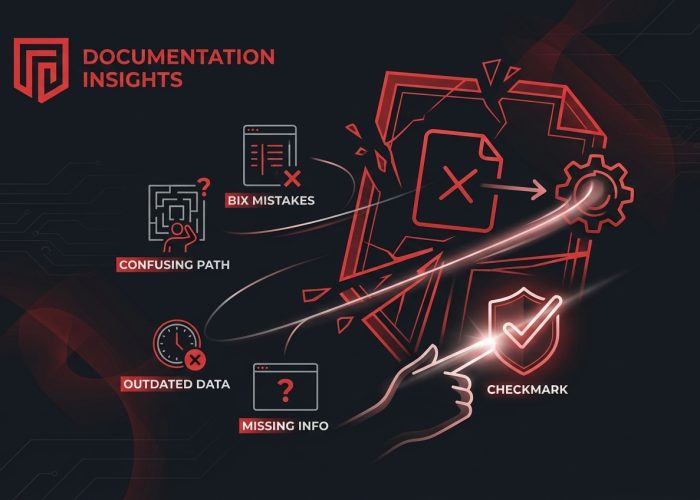
If you’ve ever tried to follow confusing instructions while using software, you already know how frustrating poor documentation can be. Whether someone is joining a company, learning a new feature, or troubleshooting an issue, clear documentation makes the experience much easier. Yet many SaaS businesses put documentation on the back burner because they are focused on building products, releasing updates, or helping customers.
The problem is that weak documentation creates more work over time. Support teams answer the same questions again and again, employees waste time searching for information, and customers struggle to get the most from the software. The good news is that most documentation problems are easy to avoid with the right approach. Here are some of the most common mistakes SaaS businesses should watch out for.
Build Documentation While Processes Are Fresh
One of the biggest mistakes is waiting too long to document important processes. People often believe they will remember every step later, but details are easy to forget once a task becomes routine or the software changes.
Instead of writing everything manually after the fact, many teams now use an AI SOP generator to capture workflows while they are being completed. This approach helps turn real tasks into organized guides without relying on memory, making documentation more accurate from the beginning.
Creating documentation as processes happen also saves time. Instead of rebuilding every step later, teams already have a solid guide that can be reviewed and updated whenever needed.
Writing Instructions That Are Too Vague
A guide is only useful if people can actually follow it. One common mistake is assuming readers already understand the process. Writers sometimes skip important steps because they seem obvious to them.
Someone using the guide for the first time may not know where to click, what information to enter, or what to expect after completing a step. Missing these details can quickly lead to confusion.
Clear documentation uses simple language and gives direct instructions. Breaking tasks into small, numbered steps also makes guides easier to read. If there are options that users need to choose from, explain them clearly instead of expecting readers to figure them out on their own.
Before publishing any guide, it helps to ask someone unfamiliar with the process to test it. Their feedback often reveals missing details that experienced employees no longer notice.
Letting Documentation Become Outdated
Software changes constantly. New features are added, buttons move, menus are redesigned, and workflows improve over time. Unfortunately, documentation does not always keep up.
Outdated guides can be just as frustrating as having no documentation at all. Users may follow instructions only to discover that the screenshots no longer match the software or that important steps have changed.
SaaS businesses should review documentation regularly instead of treating it as a one-time project. Even small updates can make a big difference. Assigning someone to check guides after product releases helps ensure documentation stays useful and accurate.
Keeping documentation current also builds trust because users know they can rely on the information they find.
Ignoring the Needs of Different Users
Not everyone reads documentation for the same reason. A new employee may need detailed onboarding instructions, while an experienced administrator only wants a quick reference for a specific task.
Trying to satisfy every reader with a single guide usually creates unnecessary confusion. Some people receive too much information, while others do not receive enough.
Instead, documentation should be organized around different audiences. Beginner guides can explain each step in greater detail, while advanced users may benefit from shorter instructions focused on specific tasks.
Thinking about who will use the guide before writing it helps create documentation that is easier to understand and more useful.
Forgetting Visual Elements
Long paragraphs filled with instructions can feel overwhelming. Even well-written documentation becomes easier to follow when readers have visual references.
Screenshots help users confirm they are looking at the correct screen before moving to the next step. Simple annotations, highlights, or arrows can point out important buttons or settings without adding extra text.
Visuals should always match the current version of the software. If the interface changes, outdated screenshots should be replaced quickly. Keeping images current prevents confusion and reduces unnecessary support requests.
The goal is not to fill every page with pictures but to include visuals where they genuinely make instructions easier to follow.
Not Encouraging Feedback
Documentation should never be considered finished. Employees and customers often notice unclear wording, missing steps, or outdated information before the documentation team does.
Making it easy for users to provide feedback helps improve guides over time. A simple feedback option or comment form allows readers to report problems without much effort.
Reviewing feedback regularly also helps businesses identify patterns. If several people struggle with the same section, that guide probably needs improvement. Small updates based on real user experiences can make documentation much more effective.
Clear documentation plays an important role in helping SaaS businesses grow without creating unnecessary confusion. Avoiding common mistakes like vague instructions, outdated content, scattered documents, and ignoring user feedback makes it easier for employees and customers to find the information they need. When documentation stays organized, accurate, and easy to understand, teams spend less time answering repeated questions and more time focusing on meaningful work. Investing a little effort in better documentation today can save countless hours in the future.