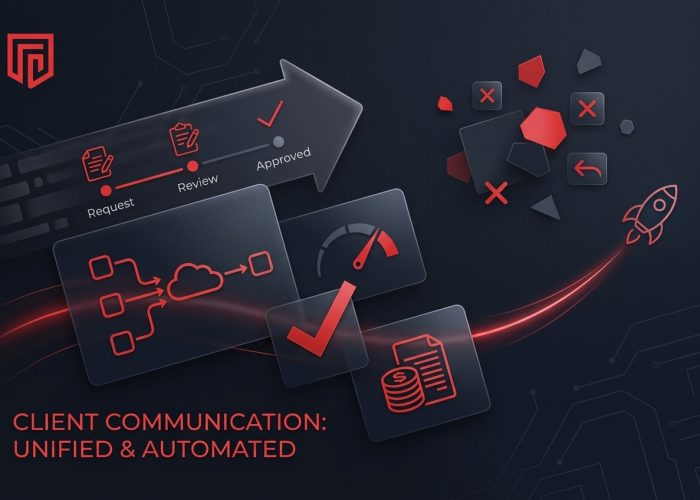
A product manager sends a status update by email, a client replies to the wrong thread, and an account manager forwards an outdated attachment. This confusion is common without structured communication. A custom web application automates client communication by unifying requests, approvals, and messages in one platform, reducing costs and improving efficiency as the company grows.
Why Manual Client Communication No Longer Scales
Every company that grows beyond a small operation faces the same challenge: tools that worked for ten clients fail under the weight of fifty. Here’s where problems arise.
Scattered approvals and version confusion. Email attachments lack reliable version control and approval records. Staff at a risk advisory firm spent hours weekly reconciling file versions and rebuilding approval histories, wasting time without benefiting clients.
Constant status check requests. Account managers fielded fifteen to twenty weekly inquiries by phone or email. After launching a portal with real-time visibility, that dropped to three or four, saving time and building trust.
Manual report generation. Quarterly reports taking hours per client were cut to about twelve minutes through automation, saving significant human resources.
Lost institutional knowledge. When data lives in inboxes, vacations or role changes stall projects. Businesses lose track of approvals, harming regulated sectors like healthcare and finance.
What a Modern Client Portal Web App Really Is
A client portal is a secure, browser based web application serving as the single destination for client relationships. It goes beyond file sharing or chat, providing structured intake forms, task lists, approvals, deliverable reviews, billing, and communication. Client portals enforce consistent workflows, replacing reliance on individual habits. Custom applications mirror your actual operations rather than generic templates. Role-based access control enhances security by restricting views to relevant user roles for clients, partners, and internal teams.
Key Web App Features That Replace Email and Spreadsheets
Structured request intake and routing. Configurable forms capture all required data upfront, prevent incomplete submissions, and route requests to the right team based on predefined rules. This reduces back and forth emails asking for missing details. Automated notifications and reminders keep clients and staff aligned without manual follow ups.
Document and deliverable management. Version control with clear status labels and time stamped approvals solves the “which file is final” issue. Digital audit logs support compliance, vital in regulated industries. Workflow automation reduces errors by removing guesswork from document handling.
Collaboration tools and engagement analytics. Commenting on files, shared checklists, and indicators showing when clients view content replace “did you see my email?” follow ups. Built-in analytics improve decision making by tracking logins, downloads, and stalled steps—your early warning system for at risk accounts.
Designing Web Apps Around Your Real Business Process
Web applications improve communication only when tailored to the business’s operations. Generic project management templates miss approval chains, compliance needs, or client onboarding sequences.
Mapping workflows. Before coding, product managers or operations leads map every client interaction: request arrival, review steps, approval triggers, and client updates. This discovery uncovers hidden steps missed by off-the-shelf tools. Custom development fits proprietary business logic by capturing these specifics.
Modeling business logic. Mapped flows become app states like “awaiting approval,” “revision needed,” or “client review pending,” each with automated notifications and routing. For example, an energy company replaced emailed work orders with a portal where clients submit site details, upload photos, schedule inspections, and get updates through defined stages. This encodes business logic into custom software rather than layering a workaround on email.
How Custom Web App Development Services Deliver This Change
Discovery and requirements analysis. Stakeholder interviews identify key friction points and review past communication logs to reveal delays, lost versions, and manual errors.
Technical architecture. Choosing the right cloud environment, data models, and security ensures scalability and compliance. Custom software avoids per seat licensing costs and integrates any third party system, essential for complex CRMs, ERPs, and tools.
SoftDoes’ custom software development approach starts by analyzing which of your communication patterns need to change. Shifting your team from inbox chaos to structured web app development services is exactly what our process aims to achieve. As one client happily put it after launch: “Our email inquiries dropped by half in the first month. Communication is finally organized.”
A recent analysis from Mashable on digital customer experience trends confirms that customers increasingly expect transparency, self service support, and predictable workflows. Companies using purpose built portals achieve stronger retention and lower support costs across departments and customer segments.
Essential Integration Points: Making the Portal Part of Your System Landscape
A client portal disconnected from existing systems becomes a data silo ignored by users. Integration is essential for functionality.
CRM integration. Sync contacts, accounts, deal stages, and communication history for a unified sales and success view. Portal requests update the CRM instantly.
Back office systems. Billing, ticketing, and document management require consistent data. Portal approvals trigger invoices; support cases appear in help desks for seamless live support. API integrations ensure reliable connections.
Analytics and data. Portal activity feeds BI tools, enabling leaders to track response times and self service use for continuous improvement.
Security, Compliance, and Trust in Customer Communications
Moving conversations from email into a web application improves security when best practices are followed. Email is hard to audit, easy to forward unintentionally, and nearly impossible to revoke.
Key controls include encryption for data in transit and at rest, audit logs capturing all communications and changes, and granular access control separating internal and client views. These measures create a security posture email cannot match.
AI integration enhances user experiences with personalized automation and AI powered search. Conversational AI manages routine inquiries, freeing staff for complex tasks. Security and intelligence are converging, and modern customer portals are where that convergence delivers the most value, as highlighted in recent insights from VentureBeat.
Driving Adoption: Helping Clients and Teams Embrace the New Portal
The best portal fails if users default to email. Adoption is a change management challenge.
Internal training. Train teams to move conversations into the portal and set a firm cutoff date for email requests. Without this, old habits persist.
Client onboarding. Use guided tours and simple tasks like real-time tracking to reduce friction and encourage adoption.
Turning Customer Communication Into a Strategic Asset
Moving from manual, fragmented customer communication to a custom client portal strengthens business operations, auditability, and customer experience far beyond what email and spreadsheets offer. Success depends on aligning the web application with your real business process, selecting the right development partner, planning integrations carefully, and investing in adoption and continuous improvement.
SoftDoes partners with US enterprises and scale ups to build and maintain client portals and workflow-centric web apps that replace operational complexity with structured, measurable communication.