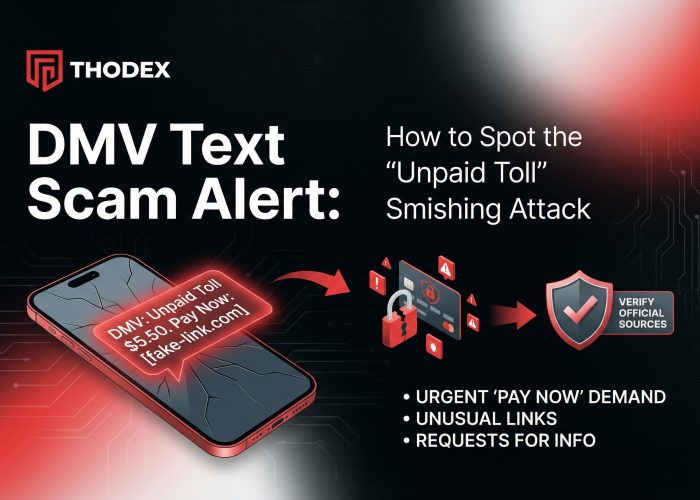
You are sitting at home when your phone buzzes. It’s a text message that looks like an official alert: “State DMV Final Notice: You have an outstanding balance of $12.51 for unpaid tolls. To avoid a $50.00 late fee and license suspension, pay immediately at [link].”
Your heart rate spikes. You rely on your car for work and family. You wonder, “Did I miss a toll booth last month?”
Stop. Take a deep breath.
If you received a text asking for payment via a link, it is almost certainly a dmv text scam. You are not being investigated, and the police are not coming to take your license.
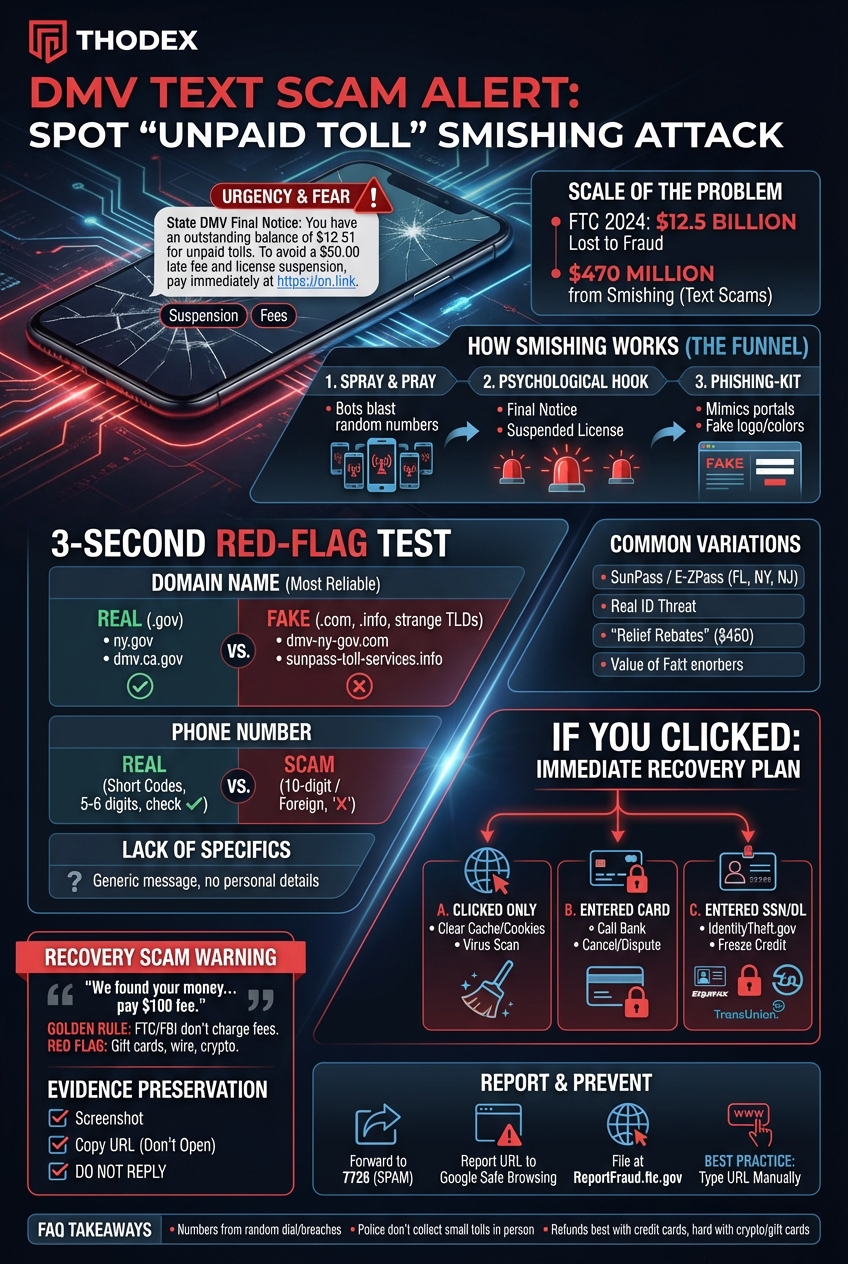
According to the Federal Trade Commission (FTC), Americans lost $12.5 billion to fraud in 2024, with text-based scams (smishing) accounting for $470 million of that total. You aren’t the only one being targeted—these criminals send millions of these messages every day.
In this guide, we will show you exactly how this scam works, how to spot the fake link in three seconds, and exactly what to do if you already clicked it.
The Mechanics: How the “Smishing” Funnel Works
To understand why you received this text, you need to understand “Smishing” (SMS Phishing). This is a numbers game for scammers.
1. The “Spray and Pray” Method
Many victims ask, “Why me?” The truth is, the scammers likely don’t know who you are yet. They use automated “bots” to blast text messages to thousands of random phone numbers generated by software. They are fishing for a reaction.
2. The Psychological Hook
Scammers know that fear creates urgency. If you stop to think, you might realize you haven’t driven on a toll road in months. But by using phrases like “Suspended License,” “Final Notice,” or “Unpaid Tolls,” they trigger a panic response. They want you to act fast before your logical brain kicks in.
3. The Toolkit
If you click the link, you are taken to a “phishing kit.” These are sophisticated fake websites designed to look exactly like your state’s official DMV portal, SunPass, or E-ZPass website. They copy the logos, colors, and fonts perfectly.
Is It Real? The 3-Second Red Flag Test
You don’t need to be a cybersecurity expert to spot a fake. You just need to look at three specific things.
1. The Domain Name (The #1 Giveaway)
This is the most reliable way to spot a dmv text scam.
- Real Government Sites: Almost always end in .gov (e.g.,
ny.gov,dmv.ca.gov). - Scam Sites: Often end in .com, .info, .net, .org, or strange extensions like .top or .xyz.
Scammers will try to trick you by using hyphens to make the address look official.
- Fake Example:
dmv-ny-gov.com(This is a .com site, not a government site). - Fake Example:
sunpass-toll-services.info.
2. The Phone Number
- Real: Official automated alerts usually come from “Short Codes”—numbers that are 5 or 6 digits long (e.g., 892-45).
- Fake: Scam texts usually come from a standard 10-digit phone number (like a personal cell phone) or a foreign country code. If the text comes from
(917) 555-0199, it is likely a scammer using a burner phone or VoIP service.
3. Lack of Specifics
Does the text use your name? Does it list your specific license plate number? Probably not. Because it is a mass text, it will be generic.
Tip: Scammers are getting better at deception. Just as there are hidden messages behind emojis in online scams, subtle punctuation errors or odd phrasing in text messages are major red flags.
Common Variations of the Scam
While the “Unpaid Toll” script is the most popular right now, look out for these variations:
- The SunPass / E-ZPass Scam: Very common in Florida, New York, and New Jersey.
- Real ID Compliance: “Your license is not Real ID compliant and will be cancelled.”
- Relief Rebates: “You are eligible for a $450 inflation relief rebate. Click to claim.”
I Clicked the Link: Immediate Recovery Plan
If you clicked the link, don’t panic. But you must act immediately. Follow the scenario that matches your situation:
Scenario A: You only clicked the link
If you clicked the link but did not enter any information, you are likely safe from financial theft, but your phone may be at risk of malware.
- Action: Close the browser tab immediately.
- Action: Clear your browser’s cache and cookies.
- Action: Run a virus scan on your phone if you have antivirus software. Be wary of downloading unknown cleaning tools—sometimes unwanted programs (PUPs) can masquerade as helpful tools. For example, desktop users often ask is OneLaunch safe to use on Chrome? Always stick to verified security apps.
Scenario B: You entered credit card info
The scammers now have your card details.
- Action: Call your bank’s fraud department immediately.
- Action: Tell them you entered your card on a phishing site.
- Action: Cancel the card and request a new one.
- Action: Dispute any pending charges, even small ones like the “$12.51” toll fee.
Scenario C: You entered your SSN or Driver’s License Info
This is the most serious scenario, as it puts you at risk of identity theft.
- Action: Go to IdentityTheft.gov and follow the recovery plan.
- Action: Freeze your credit immediately at the three major bureaus: Equifax, Experian, and TransUnion. This prevents criminals from opening new loans in your name.
WARNING: The “Recovery Scam” (The Double Dip)
There is a second phase to this scam that many people miss. It is called the Recovery Scam.
Weeks after you fall for a text scam, you might receive a phone call or email from someone claiming to be from the “Fraud Department,” a “Private Investigator,” or even the “FBI.”
They will say: “We found the scammers who took your money. We can get it back for you, but there is a processing fee of $100.”
This is a lie. The same criminals who stole your info are now trying to steal more by pretending to be the heroes.
- The Golden Rule: Legitimate government agencies (FTC, FBI) never charge a fee to return stolen money.
- The Red Flag: If they ask for payment via gift cards, wire transfer, or cryptocurrency, hang up.
Evidence Preservation Checklist
Before you delete the text, preserve the evidence. This helps authorities track these rings.
- Screenshot the text: Capture the phone number, the message, and the link.
- Copy the URL: Long-press the link (carefully, do not open it) and copy the address.
- Do not reply: Replying “STOP” or arguing confirms your number is active, leading to more spam.
How to Report and Prevent Future Attacks
Fighting back helps protect others. Just as businesses must learn top strategies for preventing business email compromise, individuals must actively report personal attacks.
- Forward to 7726 (SPAM): Forward the text message to the number 7726. This is a centralized reporting system for mobile carriers (AT&T, Verizon, T-Mobile) that helps them block the number.
- Report the URL: Submit the fake website link to Google Safe Browsing. This helps Google show a “Red Warning Screen” to the next person who clicks it.
- File a Complaint: Visit ReportFraud.ftc.gov to share your story with federal investigators.
THODEX TIP:
Never trust a link sent via unsolicited text. If you think you might actually owe a toll, open your browser and type in the official URL (e.g.,
sunpass.comorezpassny.com) manually. Always go to the source.
Frequently Asked Questions (FAQ)
Q: How did they get my phone number?
A: Most likely through random number dialing software or from old data breaches where lists of phone numbers were sold on the dark web. It does not necessarily mean your phone was hacked.
Q: Will the police come to my house for unpaid tolls?
A: No. State agencies communicate via certified mail for serious debts. They do not send texts threatening arrest or immediate license suspension for a $12 fee.
Q: Can I get my money back if I paid?
A: If you used a credit card and reported it immediately, you have a good chance of winning the dispute. If you used a debit card, it may be harder, but still possible. If you paid via crypto or gift card, the money is likely gone.
Stay safe and verify before you click.